A SMALL EXTENSION. BETTER CONTEXT.

Any web page,
ready for your AI.

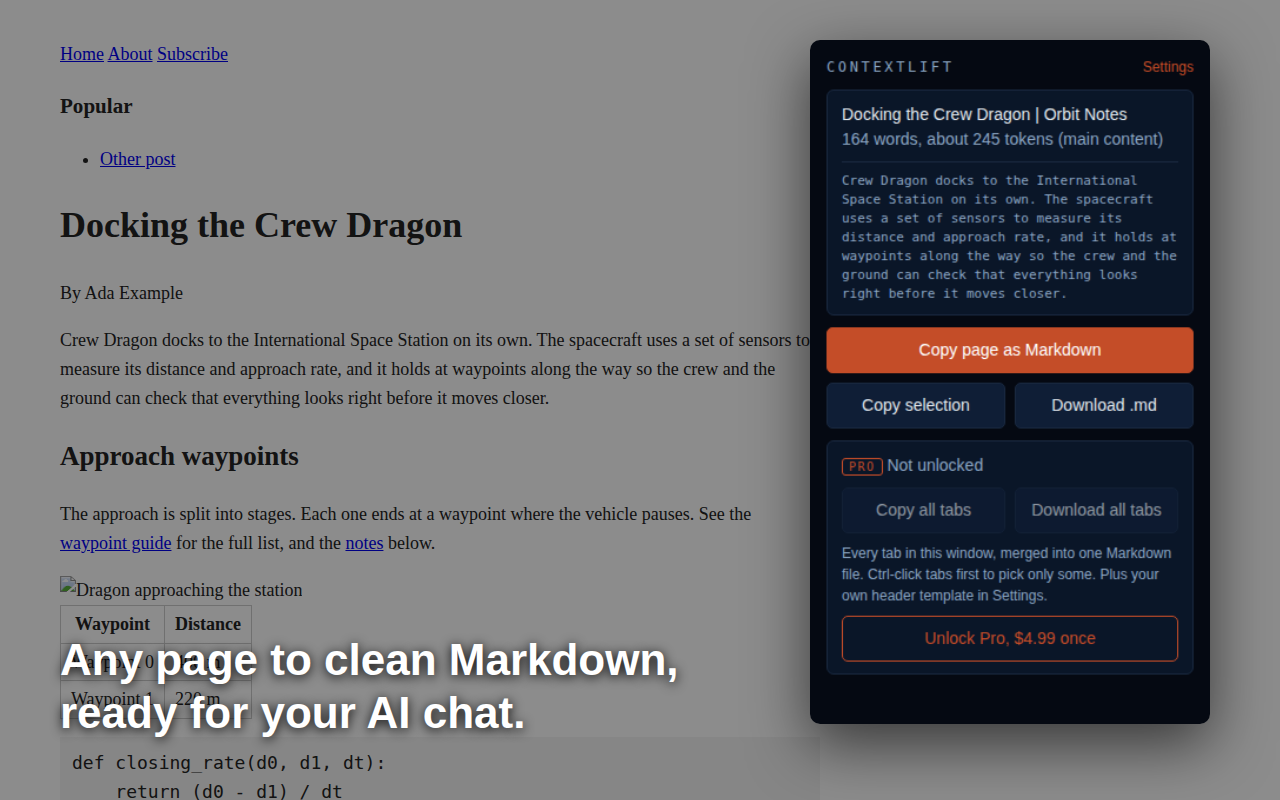
ContextLift turns the page you're reading into clean Markdown in one click, without menus, ads or clutter, and shows how many tokens it will use.

Add to Chrome, it's free Free to use · No account needed · Private by design
SEE IT WORK ON A REAL PAGEWatch on YouTube

READY FOR YOUR NEXT CONVERSATION. OR YOUR NEXT NOTE.

ChatGPTClaudeGeminiObsidianNNotion
LESS FRICTION. MORE FLOW.

From page to prompt in seconds.

Three steps. No detours.

01

Find something worth keeping.

Open any article or documentation page.
Or select just the text you need.

02

Give it a lift.

Click the ContextLift icon, use the right-click menu, or press Alt + Shift + M.

03

Paste. And keep going.

Drop clean Markdown into your AI chat or notes.
All the context. None of the cleanup.

THE WEB, AS IT IS YOUR CONTEXT, CLEANED UP
journal.example.com/thinking↗
the curious journal.Stories   Ideas   Subscribe
IDEAS & PERSPECTIVES · 5 MIN READ

A small guide to
better thinking

Stay curious.

Good ideas need room to grow. Start with curiosity, ask better questions, and make space for what you don’t know.

Make room for curiosity

Follow the questions that interest you. Connect ideas across different fields.
thinking.md Clean Markdown
1# A small guide to better thinking
2
3Good ideas need room to grow. Start with
4curiosity, ask better questions, and make
5space for what you don't know.
6
7## Make room for curiosity
8
9- Follow the questions that interest you
10- Connect ideas across different fields
11- Write things down before you forget
12
13> The best ideas start with a good question.
14
15[Read more](https://example.com/thinking)
Just the good stuff. None of the noise.
SMALL TOOL. THOUGHTFUL DETAILS.

Everything you need. Nothing you don't.

Clean content, useful structure, and control over what comes along.

The page. Just the page.

Copy the main content as clean Markdown. Leave navigation, ads, and clutter behind.

Only what you selected

One paragraph or a whole section. Clip exactly the part that matters to you.

Keep it as a .md file

Download a page as Markdown. Ready for your notes, your archive, or your next project.

Structure stays intact

Headings, links, images, tables, and code blocks — with their language — come along.

Know your context budget

See the word count and estimated tokens for every clip before you paste it.

Make it your Markdown

Choose whether to keep links, images, and a title header. Your context, your way.

SIMPLE BY DESIGN

Free for the everyday. Pro for the deep dive.

No subscriptions. No complicated plans. Just a little more power when you need it.

Free

Your everyday page-to-Markdown companion.

$0free, always
  • Copy any page or selected text
  • Download pages as .md files
  • Keep headings, links, images, tables & code
  • Word count and token estimates
  • Control links, images & title headers
Add to Chrome, it's freeNo account. No credit card.

Pro

ONE PAYMENT. YOURS TO KEEP.

For research rabbit holes and connected notes.

$4.99once. Not monthly.
  • Everything in Free
  • Copy or download every tab in a window
  • Pick specific tabs and merge into one file
  • Create your own header template
  • Title, link, date, site, author, words & tokens
  • YAML front matter for Obsidian
Get ContextLift ProInstall free, then unlock Pro inside the extension.

Private by design

Your reading is your business. ContextLift converts pages right inside your browser. Nothing you clip is sent anywhere.

Read the privacy policy

It stays on your device.

No servers processing your pages. No content leaving your browser.

No tracking. No analytics.

No account needed to use the free features. Just install and clip.

Only when you ask.

It reads a page only when you click, use the menu, or press the shortcut.

A FEW GOOD QUESTIONS

Good to know.

Which AI tools does it work with?

Any AI tool that accepts pasted text, including ChatGPT, Claude and Gemini. The output is plain Markdown, so it works just as well in Obsidian, Notion, text editors and other note-taking apps.

What's a token estimate?

Tokens are the small pieces of text AI models use to read your input. ContextLift gives you an approximate token count so you can judge how much of an AI chat’s context budget a clip will use. Actual counts vary by model and language.

Does it work on any site?

It works on most article and documentation pages. Very dynamic sites, scanned documents, or pages without a clear main article may not convert perfectly. Selecting the text you need is a useful alternative. Chrome restricts extensions on some pages, including its internal pages and the Chrome Web Store.

How do I get Pro?

Install ContextLift from the Chrome Web Store, then choose Unlock Pro inside the extension. It’s $4.99 once, with no subscription. Pro adds multi-tab exports and your own header templates.

Is my data sent anywhere?

No page content or clips leave your browser. ContextLift has no analytics or tracking. The only external check is with ExtensionPay to verify a Pro purchase; it does not send your clipped content.